How to Use the Mazda intelligent Drive Select (Mi-Drive)
-
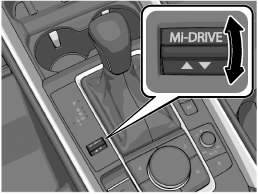
Push the Mi-Drive switch forward or pull it toward you.
-
While checking the list displayed in the multi-information display, push the Mi-Drive switch forward or pull it toward you to select a drive mode.
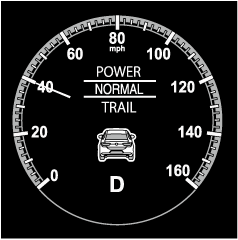
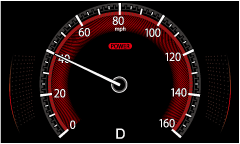
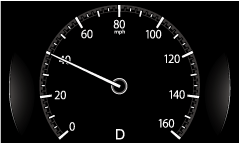
When the drive mode is set, the display in the multi-information display changes.
(POWER mode)
(NORMAL mode)
(TRAIL mode)
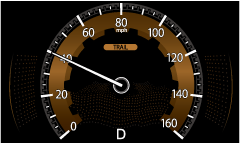
-
If the vehicle power is switched OFF when POWER or TRAIL mode is selected, and then the vehicle power is switched ON, NORMAL mode will be selected.
-
When POWER mode is selected, driving the vehicle at higher engine speeds increases and fuel economy may worsen. Canceling POWER mode during normal driving is recommended.
-
TRAIL mode is designed to maximize driving performance on rough roads which may result in lower fuel economy.
-
You may hear vibration or operation noise from the vehicle body or steering wheel when TRAIL mode is selected or during use, however this does not indicate a problem.
-
If the multi-information display does not change even if TRAIL mode is selected, the system may have malfunction. Have your vehicle inspected by an Authorized Mazda Dealer.